A thoughtful gaming gift can suit the way someone plays, streams, or spends time at their desk. These eight ideas cover audio, controls, networking, and shared entertainment.
Check what devices and space your recipient has before choosing; a little setup compatibility can make a practical gift feel personal.
8 Gift Ideas for Gamers
SteelSeries Arctis Nova 7P Wireless Gaming Headset

- Connects wirelessly across PC, PlayStation, Switch, or tablet with a portable USB-C dongle.
- Mixes calls or music with game audio through a direct mobile connection.
- Retractable microphone tucks away for commuting.
Best Gift For: A gamer who moves between PlayStation, PC, Switch, VR, and mobile play.

SteelSeries Apex Pro TKL Gaming Keyboard

- Offers per-key actuation settings for different play styles.
- Lets one key handle two different actions.
- Tenkeyless form with full-size functionality.
Best Gift For: A PC gamer who wants to personalize keyboard response for different actions.
SteelSeries Rival 5 Gaming Mouse

- Has a programmable layout with quick-action side buttons.
- Uses a precision optical gaming sensor with 1-to-1 tracking.
- Designed with a lightweight build.
Best Gift For: A gamer who plays fast-paced FPS, MOBA, MMO, or battle royale games.
FIFINE AmpliGame AM8 XLR/USB Gaming Microphone

- Connects over USB or XLR.
- Includes a tap-to-mute control and gain knob.
- RGB lighting can be changed with a button over USB.
Best Gift For: A gamer building a setup for streaming, podcasting, or voiceovers.
Audioengine A2+ Wireless Computer Speakers

- Made for nearfield listening on a desk.
- Supports wireless streaming and wired connections.
- Uses real wood cabinets with custom-tuned components.
Best Gift For: A gamer who also listens to music, podcasts, or calls at a desk.
TP-Link Archer AXE75 Tri-Band WiFi 6E Router

- Tri-band WiFi supports browsing, streaming, gaming, and downloads at once.
- The 6 GHz band is designed to enable more responsive gaming and video chatting.
- Works with a TP-Link OneMesh extender for whole-home coverage.
Best Gift For: Households with many connected devices, including gamers and streamers.
TMY 1080P Portable Mini Projector with Screen
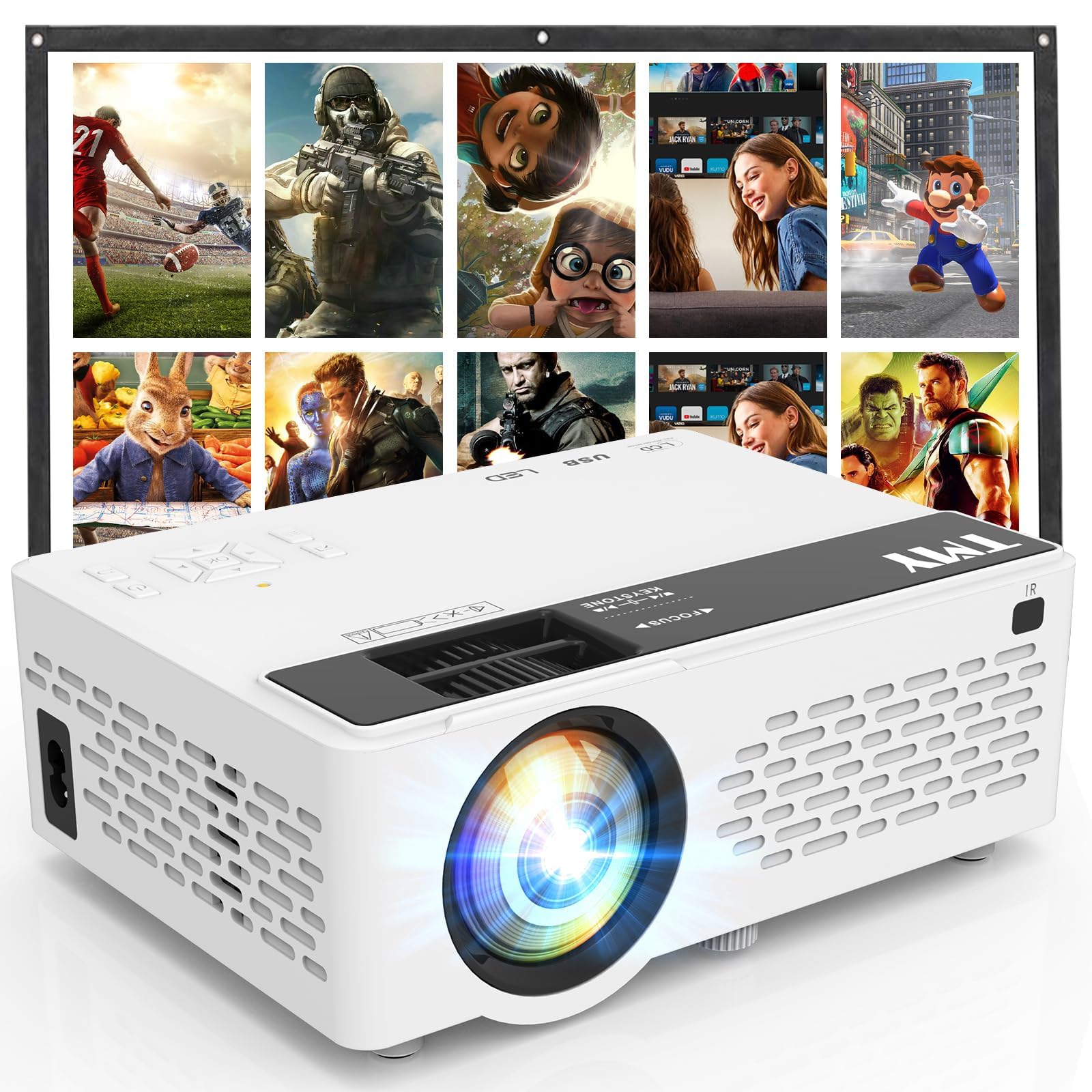
- Includes a foldable projection screen.
- Built-in HDMI and USB ports connect to supported devices.
- Bluetooth speaker mode can play audio from a phone or tablet.
Best Gift For: A gamer who enjoys projecting console play or movies for a group.
HUANUO FlowLift Dual Monitor Desk Mount

- Fits screens from 13 to 32 inches, weighing 4.4 to 19.8 lbs, with VESA mounting holes spaced 75x75mm or 100x100mm.
- Supports tilt, swivel, and rotation adjustments.
- Built-in cable management guides wires along the arms.
Best Gift For: A gamer with two compatible monitors and a suitable desk who wants more open desktop space.
Choosing gifts for gamers by how they play
Start with the recipient’s routine. Someone who plays on a console and a computer may appreciate gear that moves between platforms, while a PC regular may care more about control layout and desk space.
Notice what they already use and where their setup feels crowded or inconvenient.
For gifts for gamers, device compatibility is a useful first filter. Ask discreetly which system they use, or check a wishlist or setup photo for clues.
A wireless accessory, microphone, or projector can depend on ports, connection types, or other equipment, so confirm those details before buying.
Consider whether they mostly play alone, stream with friends, or host shared sessions. Personal play can call for focused audio or controls; group play may point toward a larger viewing setup.
The strongest choice reflects an actual habit rather than a generic idea of what gamers like.
Set a comfortable budget and check the fit
Gaming gear spans a wide range of commitments. A smaller desktop accessory may be an easy gesture, while speakers or networking equipment can be a larger household purchase.
Choose a qualitative spending limit first, then narrow the options by what solves a real need.
For gifts for gamers, account for everything needed to use the present. A mount depends on compatible screens and desk conditions; speakers or a microphone may need a free connection or a particular placement.
Check actual prices, dimensions, compatibility, and any separately required accessories before deciding.
A useful gift does not have to be the biggest upgrade. If you are unsure whether the recipient wants new equipment, pair a modest item with a personal note about the gaming routine you had in mind.
That keeps the gesture thoughtful without turning it into a commitment to rebuild their setup.
Personalize gifts for gamers and make them feel considered
Personalization can come from matching the gift to their play style. A fan of competitive PC sessions may value configurable controls, while someone who streams or records may welcome a dedicated audio setup.
Mentioning the specific routine in your card shows you chose with their interests in mind.
For gifts for gamers, presentation can include a small shared moment. Wrap a game-night snack alongside a desk accessory, or invite them to try a projected movie or console session together.
Keep add-ons easy to use and avoid assuming a particular game, platform, or room arrangement.
If the gift needs setup, offer help only in a way the recipient will enjoy. Some people like configuring equipment themselves; others may appreciate a hand checking cables and placement.
Keep the original packaging and instructions accessible so they can make changes at their own pace.
Last-minute buying advice
When time is short, start with what you can verify quickly: the recipient’s platform, available ports, workspace, and whether they already own a similar item. A gift card can be a considerate fallback when compatibility is uncertain, especially for equipment with several setup requirements.
Check the seller’s current product details and delivery estimate before placing an order. Availability and arrival timing can change, so choose an option that fits your actual deadline and have a simple backup ready, such as a printed note explaining the intended gift.
If an item may arrive after the occasion, make the handoff feel complete. Include a brief message about why you picked it and, if useful, a picture or name of the product.
That gives the recipient something personal to open while keeping expectations clear about timing.
A final checklist for choosing
Before you buy, picture where the gift will go and how often it will be used. Desk space, shared rooms, existing equipment, and the recipient’s preferences all matter.
A practical upgrade should fit into their routine without requiring an unexpected reshuffle.
Think through the first use: does it need a compatible device, a certain connection, or a place to install it? Confirm current specifications and delivery estimates from the seller, and leave room in your budget for any accessories the recipient will need to get started.
The best choice is one that feels both useful and personal. A short note tying it to a favorite kind of session, a streaming project, or a shared game night can make even a functional piece of equipment feel like it was chosen specifically for them.